Getting started
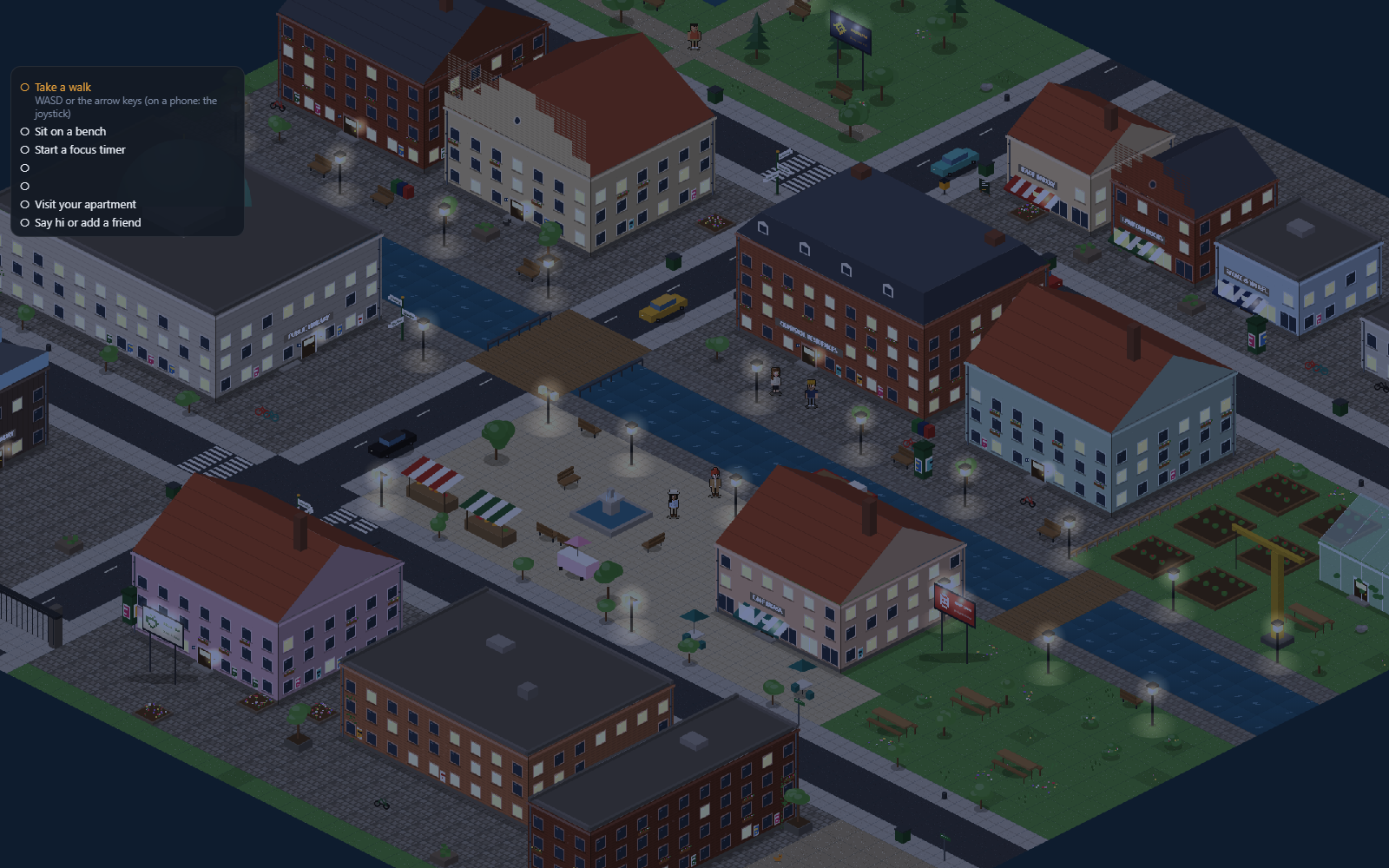
New here? Your first day in the top left walks you through seven small steps: take a walk, sit on a bench, start a focus timer, make a goal, plan something in the calendar, visit your apartment and say hi. They tick themselves off as you play. Quests are one tap away under Quests, and the box in the top right shows your story, a side quest and today's daily.
Create an account, then choose a male or female starting look. Each comes with its own default face and outfit, and every detail can be changed: build, height, skin tone, face shape, eye shape and colour, eyebrows, nose, mouth, lip colour, freckles, rosy cheeks, facial hair, sixteen hairstyles and thirteen hair colours.
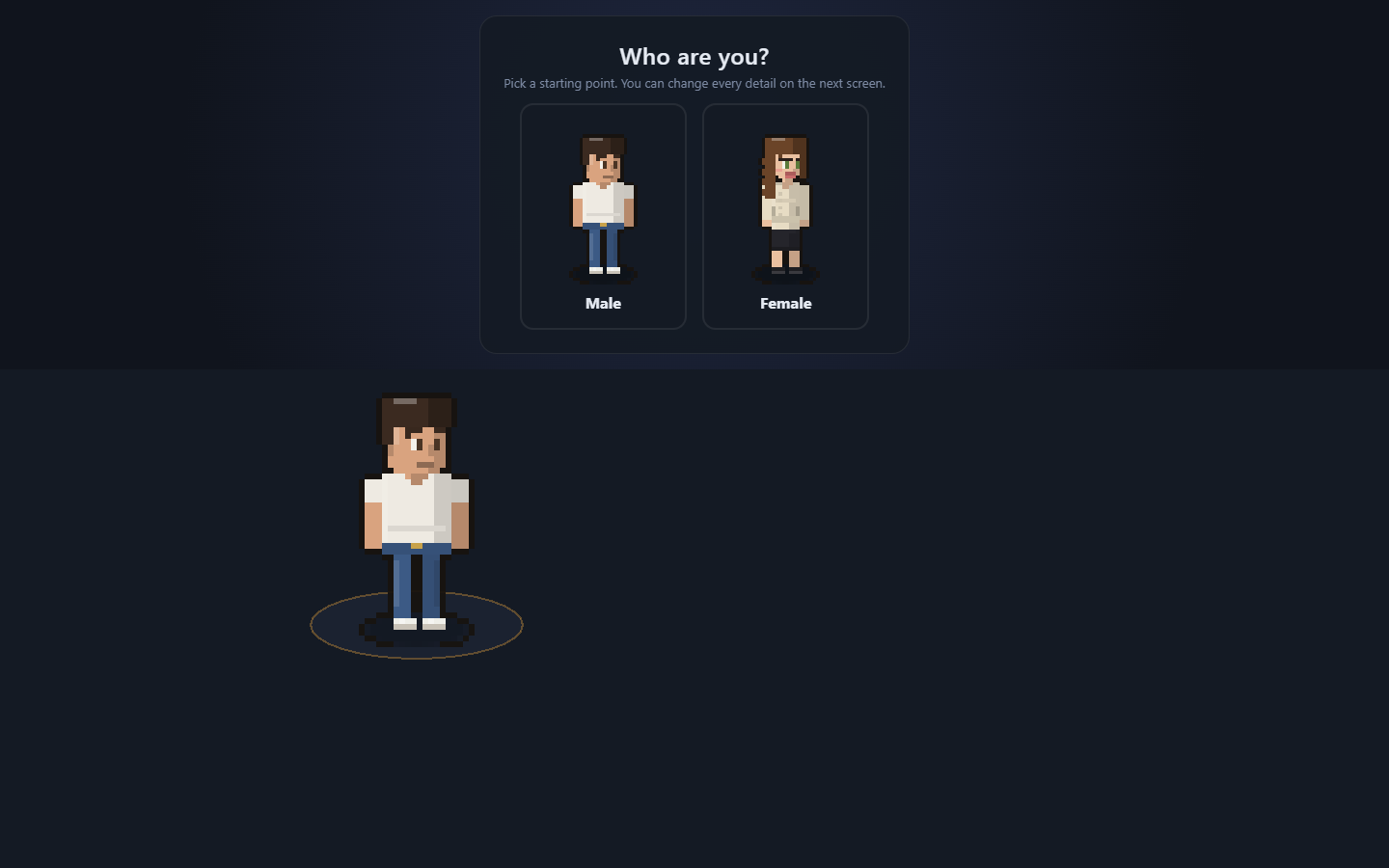
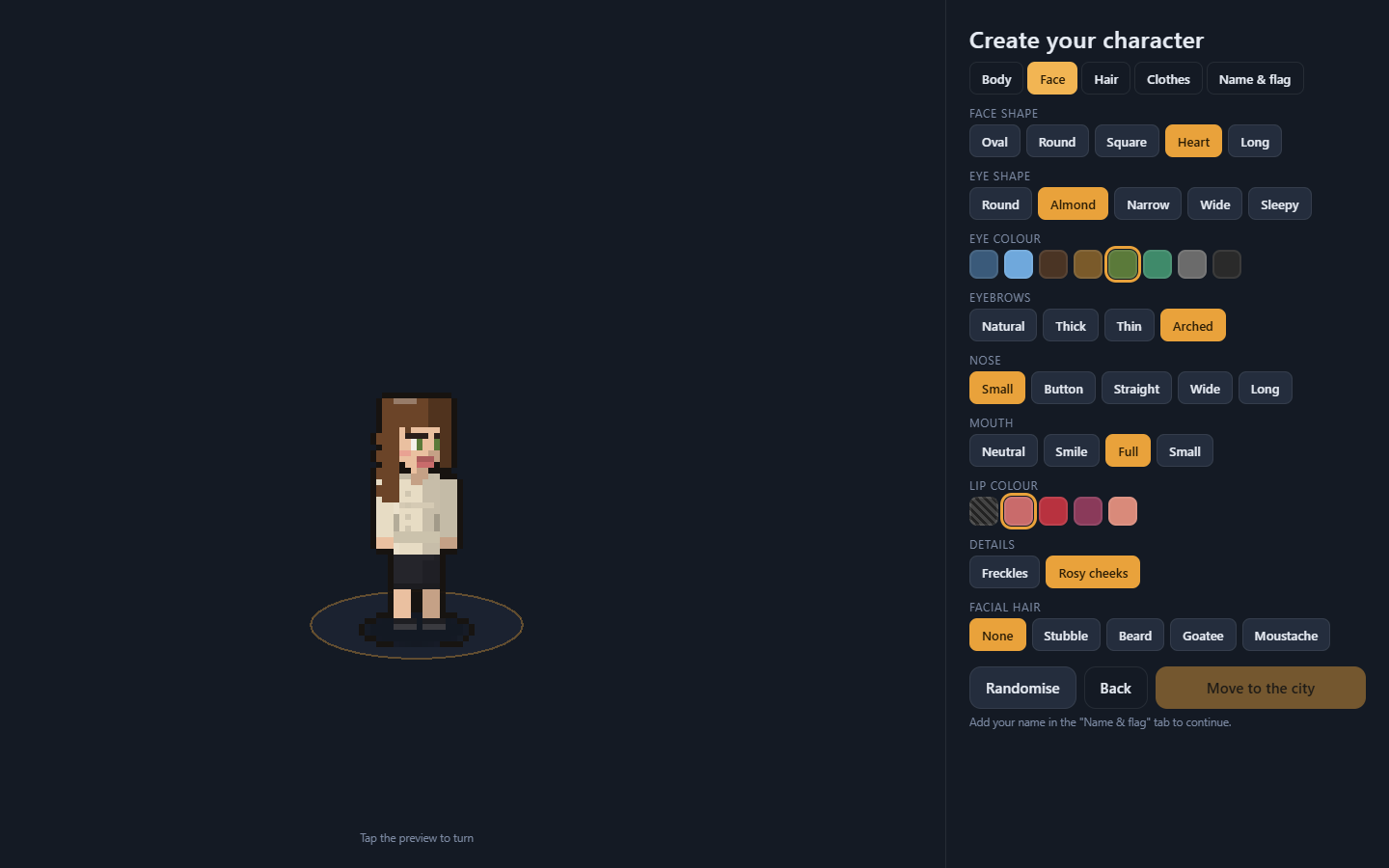
Your first clothes are free and can be dyed in fourteen colours. Pick a unique name (no two players can share one) and, if you like, the flag of your country. It shows as a small pixel flag above your head.
The story: Chapter 1, A New Beginning
You move into Quayside Residences on Lantern Quay. Every year the quay used to light every lamp on the water, Lantern Night, until the lamplighter died six years ago and nobody had the heart to do it again. Over ten parts you meet the neighbourhood: Margit the building manager, Teo the night-shift cook next door, Ines at Café Brasa, Edda at the library, Jonah and his red amp at The Foundry, Noor in the canal garden, Ruth and her clipboards, and Sami's run club. Each part asks for real things too, like a short focus session or logging a goal, so the story moves when you do. Finish the chapter to light the first lamp, earn the title Lamplighter and keep the Lantern Night Lamp for your home.
Story mode is its own part of the game: tap Story in the menu (or press Y) and choose Start Chapter 1 when you are ready. It never changes your normal day. Every part opens with a cutscene (painted scenes, the people of the quay, your own answers), and the Story screen shows what to do next with a button that takes you there. You can watch every scene again at any time.
The city and the map
You live in Emberhaven, starting in the Lantern Quay district: a canal, a market street, a park, a community garden, Lantern Square with its fountain, Café Brasa, the public library, The Foundry studios, the community centre, the sports hall and your building, Quayside Residences. Walk up to a door to go inside.
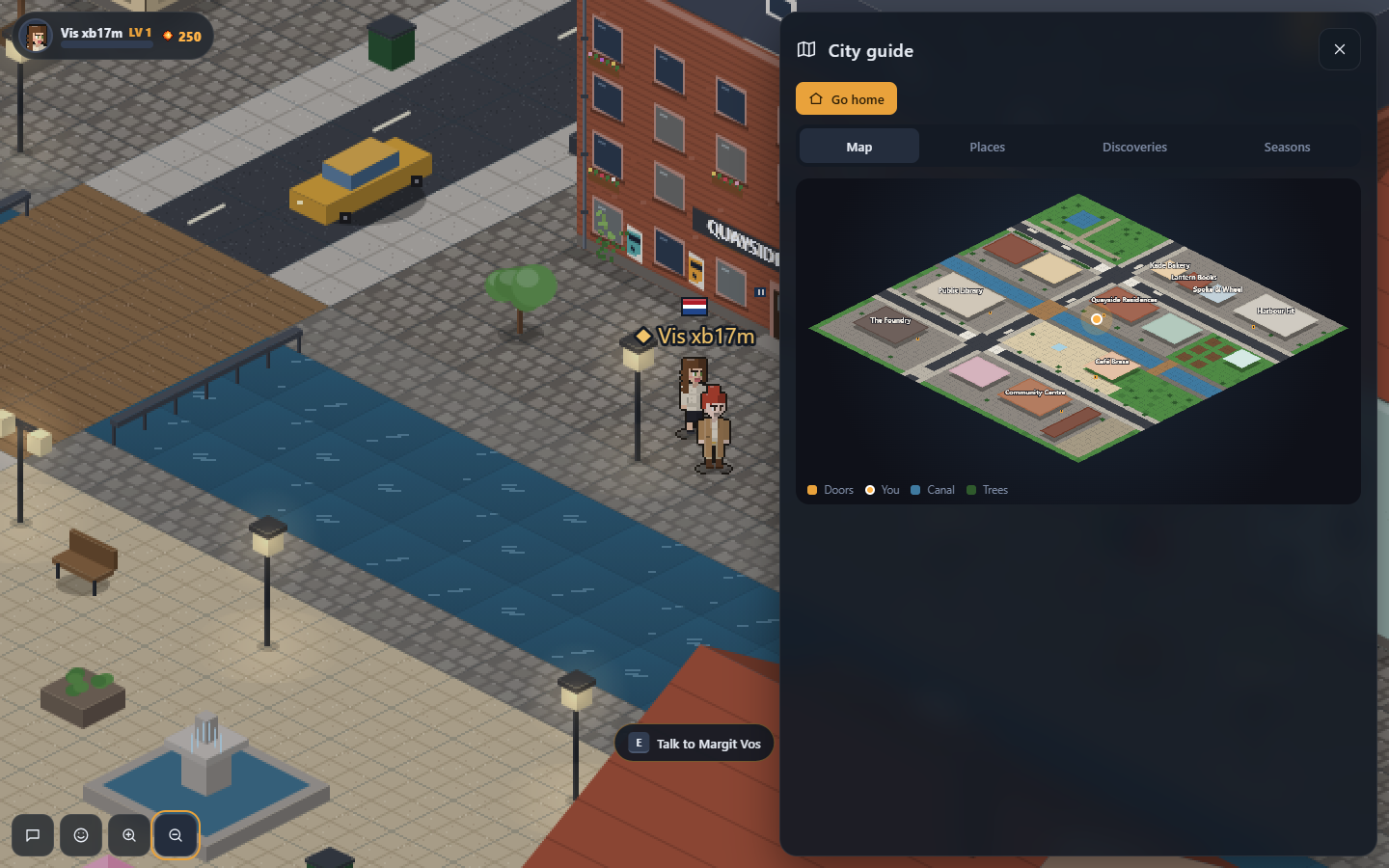
Press M (or tap the map button) for a drawn map of the district with every building, door and your own position. The sky follows your real local time, so evenings in the game are evenings for you.
Controls and help
| Do this | Computer | Phone or tablet |
|---|---|---|
| Walk | W A S D or the arrow keys | Joystick bottom left |
| Use, talk, sit, enter | E or Space | USE button bottom right |
| Chat | Enter | Chat bubble |
| Close a panel | Esc | The X |
| Zoom | + and - | Pinch |
Typing in a text field never moves your character, so W, A, S, D and E just type. The top bar has your daily things (Goals, Focus, Calendar, Friends, Shop, Map); everything else is under More: Journal, Wardrobe, your Neighbourhood, Together, Recharge, Journey, Communities, Inbox and Settings.
Emotes (wave, cheer, laugh, dance, sit, think) are in the smiley menu. A wave or a laugh ends by itself; a dance keeps going until you walk or press Stop emote.
Stuck somewhere? More, I'm stuck puts you back at the start of the map you are on and ends what you were doing. Forgot your password? Use Forgot password? on the sign-in screen and you get a link by email.
Activities and timers
You do the real thing, your character keeps you company. Going for a run, studying for an exam, practising guitar? Pick the spot in the game that matches it, walk up and press E, and start a timer. While you are really doing it, your character runs on the treadmill, studies at the library desk or plays the piano, so everyone in the room can see you are working on something.
When the timer is done (or you stop), the real minutes count: you get XP and Embers, the matching attribute grows, and if you linked a goal the minutes go straight to that goal. The game never checks your phone or your watch: it trusts you, and the timer is there to help you keep going.
Example: you go to the gym for 45 minutes. Before you start, open the game, sit on a treadmill in the Harbour Sports Hall, pick 45 minutes and your goal "Run three times a week". When you are back, the session is logged on that goal.
| Spot in the game | Use it while you, in real life... | Grows |
|---|---|---|
| Gym: treadmills | go for a run (outside or on a real treadmill) | Strength |
| Gym: spin bikes | cycle or do a spin class | Strength |
| Gym: weight benches | do your bench press or a strength workout | Strength |
| Gym: dumbbell rack | lift weights | Strength |
| Gym: punching bags | box, kickbox or do a cardio workout | Strength |
| Gym: yoga mats | do yoga, stretch or meditate | Discipline |
| Library desks | study, do homework or prepare an exam | Intelligence |
| Reading chairs | read a book | Knowledge |
| Studio piano, drums, microphone | practise an instrument or sing | Creativity |
| Easels | draw or paint | Creativity |
| Desks, computer desks, mixing desk | work, write or make music on a computer | Discipline |
| Studio workbenches | build, sew, knit or repair something | Creativity |
| Benches, sofas, armchairs | take a break, or read (start a focus timer) | Social, or Knowledge while reading |
| Café tables, picnic tables, bars | have a coffee, or work on your laptop (start a focus timer) | Social, or Intelligence while working |
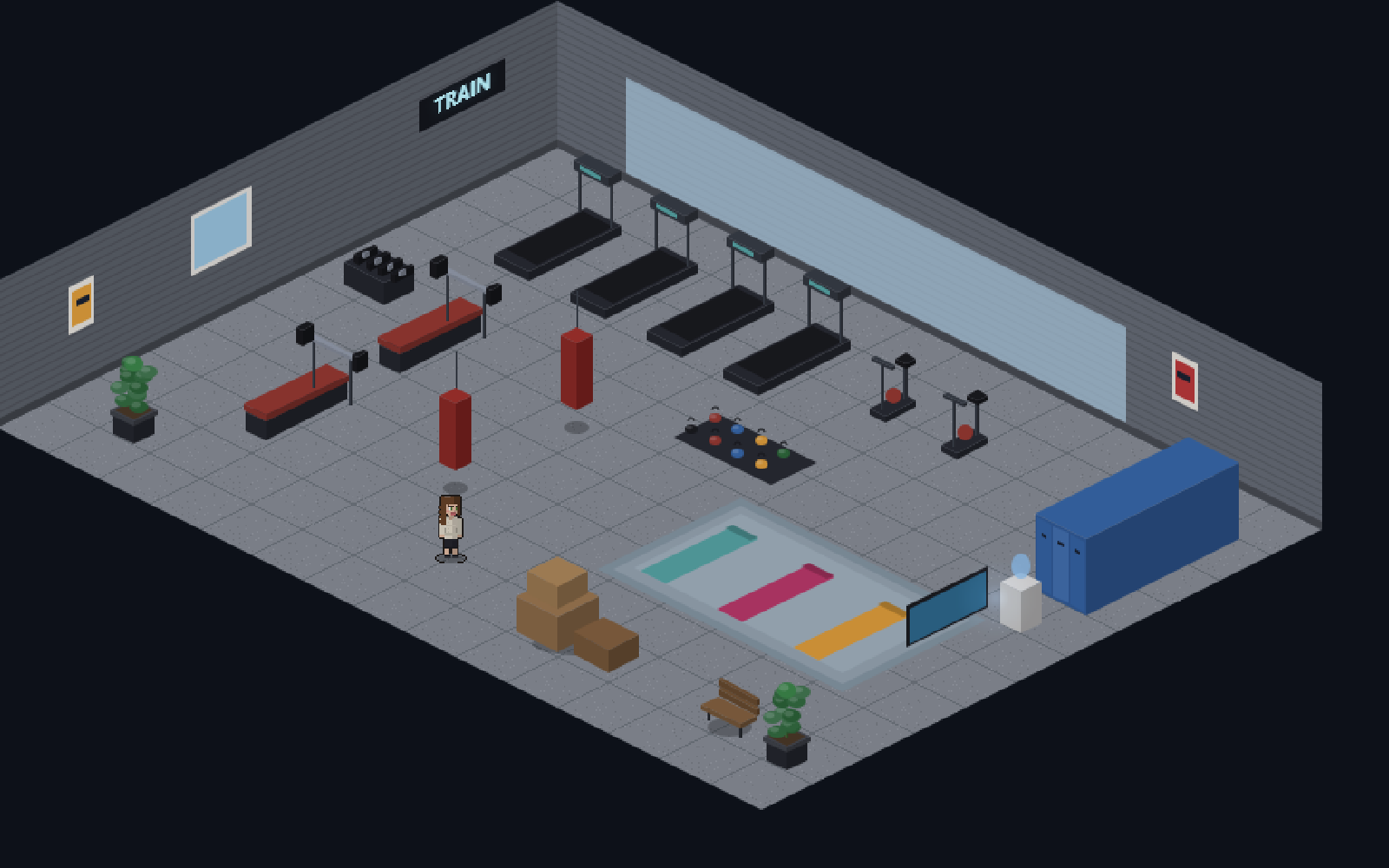
Walk up to a spot and press E (or USE on a phone): your character steps the last bit by itself and sits down, gets on the bike or steps up to the bag. Press Stop, or simply walk away, to get up again. The same furniture works at home: a treadmill, desk, easel or piano in your apartment is an activity spot too. How timers and rewards work is explained in Focus anywhere.
Timers are optional. Your real-life goals stay the heart of the game; the timers are there to keep you company while you work on them.
Focus anywhere
Every place you can use is also a place to focus. Sit on a bench and your character opens a book; sit at a café or picnic table and a laptop comes out; at the gym, the studio or the library you simply keep doing what that place is for. Press Start focus in the bar at the bottom and choose:
- What you work on: one of your goals (any goal counted in minutes, hours or times), or type it yourself, for example "Spanish homework".
- How long: 15, 25, 45, 60, 90 or 120 minutes, your own number (5 to 180), or a focus cycle with breaks (25 / 5 four times, 50 / 10 three times, 90 / 15 twice).
Everyone nearby sees what you are working on above your head, like "Reading: Spanish homework", and a bar fills up while the timer runs. The server keeps the time, so the timer keeps going if you close the game, and nobody can fake minutes.
| What happens | What you get |
|---|---|
| You finish the timer | All minutes count: 20 XP and 8 Embers for every 10 minutes |
| You finish and it was 25 minutes or more | A bonus of 20 XP and 10 Embers, and +1 to the attribute of that place (Knowledge, Strength, Creativity...) |
| You stop early | Half of the minutes you did count |
| Less than 5 minutes | Nothing yet |
| You used a spot without a timer | Counts as finished when you stop, from 5 minutes |
| You picked a goal | The minutes go to that goal (hours goals get hours), and "how often" goals get +1 for a session of 15 minutes or more |
Up to 240 minutes a day earn XP and Embers. You can keep going after that, and it still counts for your goals and streak; there is just no extra reward, so nobody is pushed to leave a timer running all night.
Sleep
Get into your own bed at home and log off. When you come back you wake up in it, and getting up gives a rest reward based on how long you were in bed. The game measures time in bed, not actual sleep.
| Time in bed | Reward |
|---|---|
| Under 4 hours | Nothing yet, sleep longer |
| 4 to 6 hours | 40 XP, 10 Embers |
| 6 to 9.5 hours | 90 XP, 25 Embers, +1 Discipline |
| 9.5 to 12 hours | 50 XP, 15 Embers |
| Over 12 hours | 30 XP, 10 Embers |
One rest reward per day (at least 20 hours apart).
Goals and quests
Set daily, weekly, monthly and yearly goals, alone or from a guided template. Daily progress counts toward the bigger goals. Streaks allow two recovery days a week, so one bad day never wipes out your progress. You also get three optional daily quests and weekly challenges, and story missions with the residents.
| Action | XP | Embers |
|---|---|---|
| Log progress on a goal (first time per goal per day) | 40 | 20 |
| Log the same goal again that day (up to 4 more times) | 10 | 5 |
| Streak bonus on the first log of the day: +10% for every full week of streak | up to +50% | up to +50% |
| Lucky drop: after a finished focus session (25+ min) or your first goal log, a 1 in 15 chance of a free piece you do not own yet (once a day at most) | a free item | |
| Finish a daily goal | 30 | 15 |
| Finish a weekly goal | 120 | 60 |
| Finish a monthly goal | 250 | 150 |
| Finish a yearly goal | 600 | 500 |
| Daily quest | 20 to 40 | 10 to 15 |
| Weekly challenge | 120 to 400 | 60 to 250 |
| Focus or activity session | 20 per 10 min (+20 for finishing 25+ min) | 8 per 10 min (+10 for finishing 25+ min) |
| Story mission | 80 to 200 | 40 to 100 |
| Discovering a hidden place | 30 | 10 |
Self-reported rewards are capped at 400 XP and 200 Embers per day, and timed sessions at 240 rewarded minutes per day, so the game stays fair for everyone.
Levels and attributes
Your character has a level from 1 to 100. Each level needs a bit more XP than the one before: 200 + 80 × level + 6 × level². A normal day earns roughly 300 to 450 XP, and your first days add extra one-off rewards (achievements, discoveries, story), so the start goes fast.
| Level | Total XP | About |
|---|---|---|
| 2 | 286 | your first day |
| 6 | 2,530 | a couple of days (the University opens) |
| 10 | 7,110 | about 2 weeks |
| 20 | 33,820 | about 3 months |
| 30 | 91,930 | most of a year |
| 50 | 350,350 | a few years |
| 100 | 2,385,900 | a long-term legend |
Next to your level you have six attributes: Strength, Intelligence, Creativity, Knowledge, Discipline and Social. They grow from what you do: the gym raises Strength, the library raises Intelligence, the easel raises Creativity. New districts unlock at certain levels.
Embers and prices
Embers are the city's currency. You only earn them by playing and doing your goals. They are never sold for money. A typical engaged day brings in about 120 to 200 Embers.
Every price follows one formula: a base price for the type of item, multiplied by its rarity (common ×1, uncommon ×1.8, rare ×3.2, epic ×5.5, signature ×9). Bigger furniture costs a bit more.
| Example | Rarity | Embers |
|---|---|---|
| Beanie | common | 60 |
| T-shirt or hoodie | common | 80 |
| Wooden chair | common | 95 |
| Treadmill | uncommon | 230 |
| Denim jacket | uncommon | 270 |
| Leather jacket | rare | 480 |
| Bouclé sofa | rare | 530 |
| Linen blazer | epic | 830 |
| Cat and basket (pet) | rare | 2,100 |
The shop
Today shows a selection that refreshes every 24 hours at midnight (Amsterdam time), with a live countdown. The Catalogue always has everything else. Seasonal items appear during events and come back in later years.
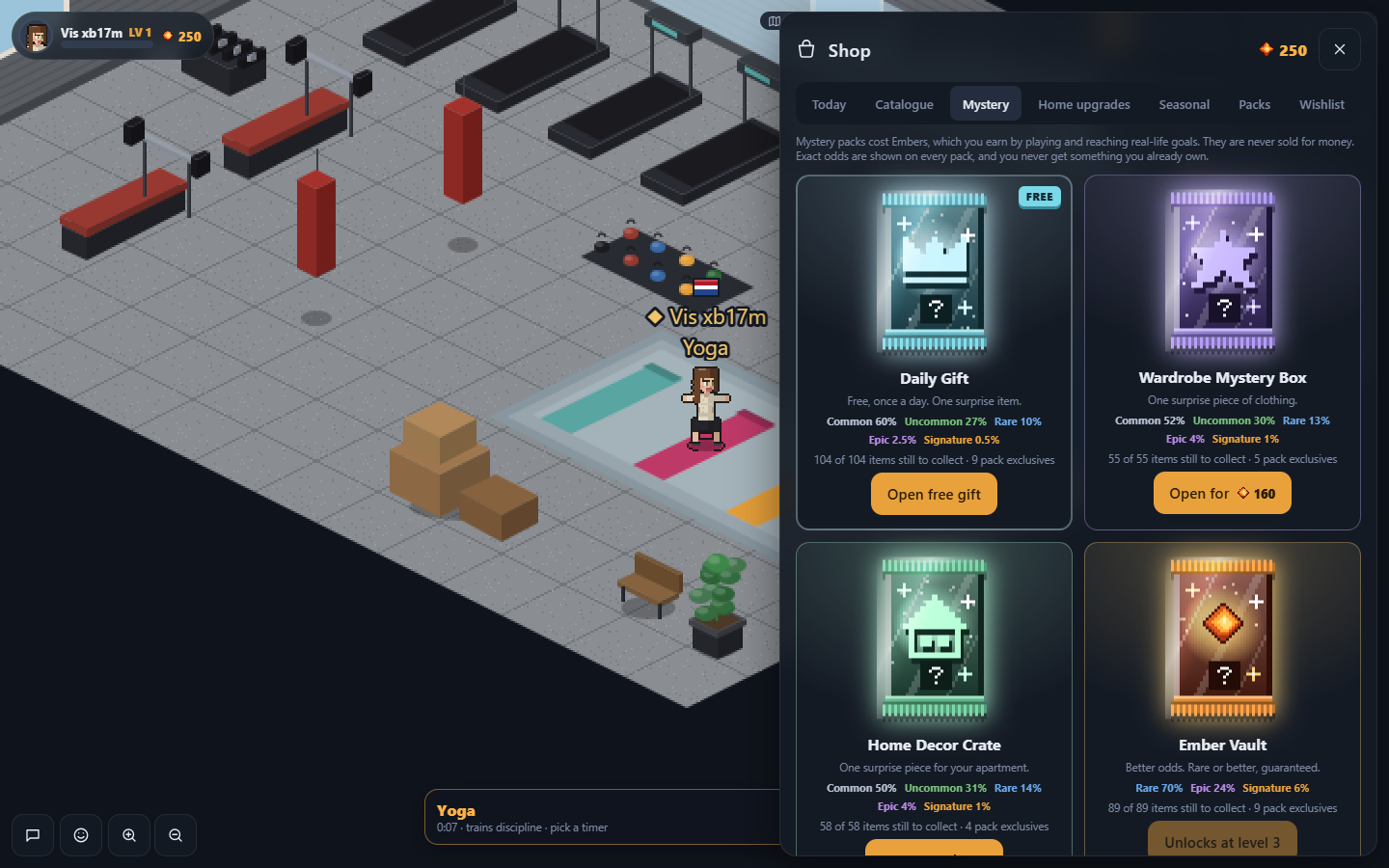
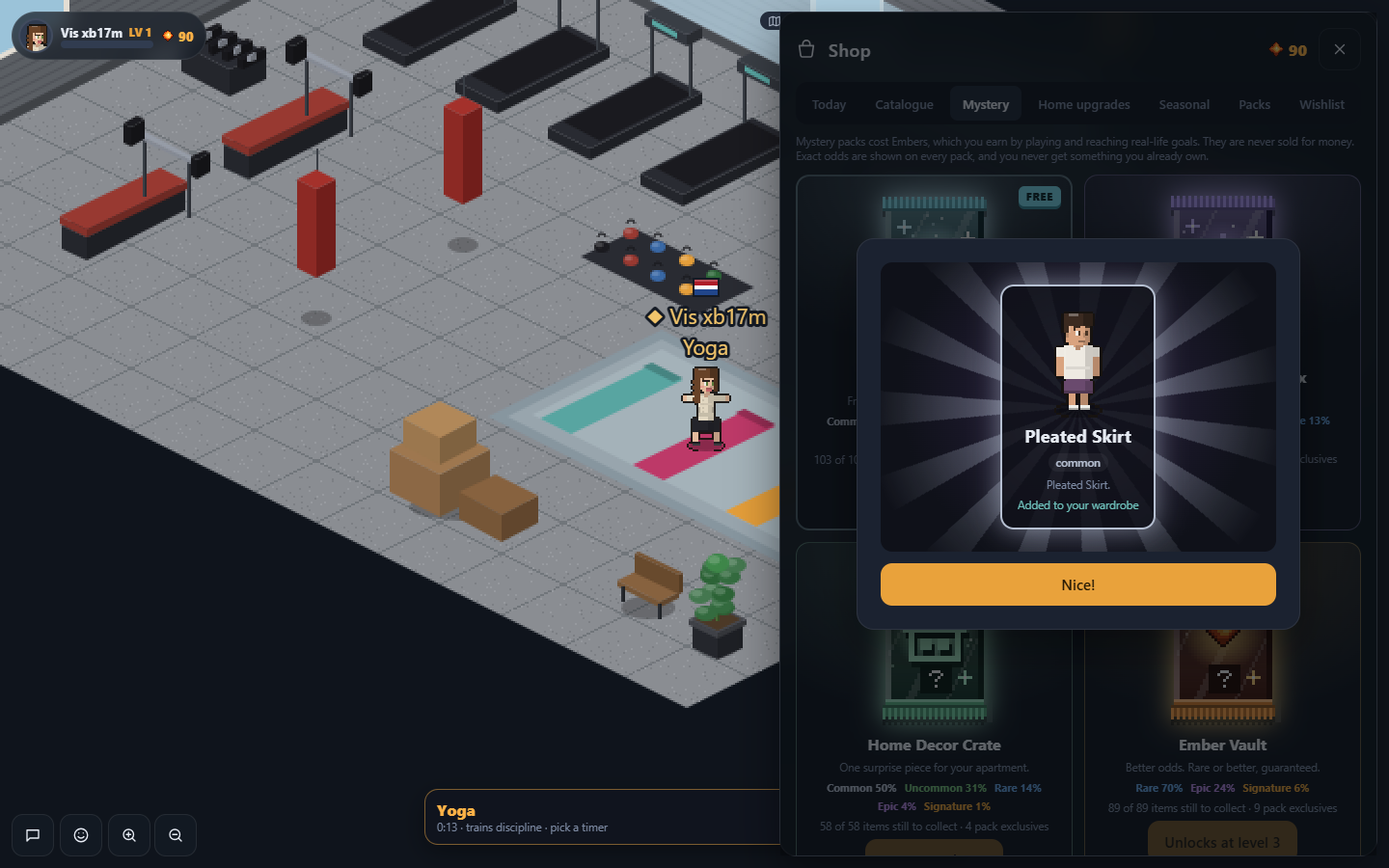
| Mystery pack | Price | Odds |
|---|---|---|
| Wardrobe Mystery Box | 160 Embers | common 52%, uncommon 30%, rare 13%, epic 4%, signature 1% |
| Home Decor Crate | 190 Embers | common 50%, uncommon 31%, rare 14%, epic 4%, signature 1% |
| Ember Vault (level 3+) | 700 Embers | rare 70%, epic 24%, signature 6% |
You never get an item you already own, and some pieces (like the Little Ember Crown) are only found in mystery packs. Packs cost only Embers you earned.
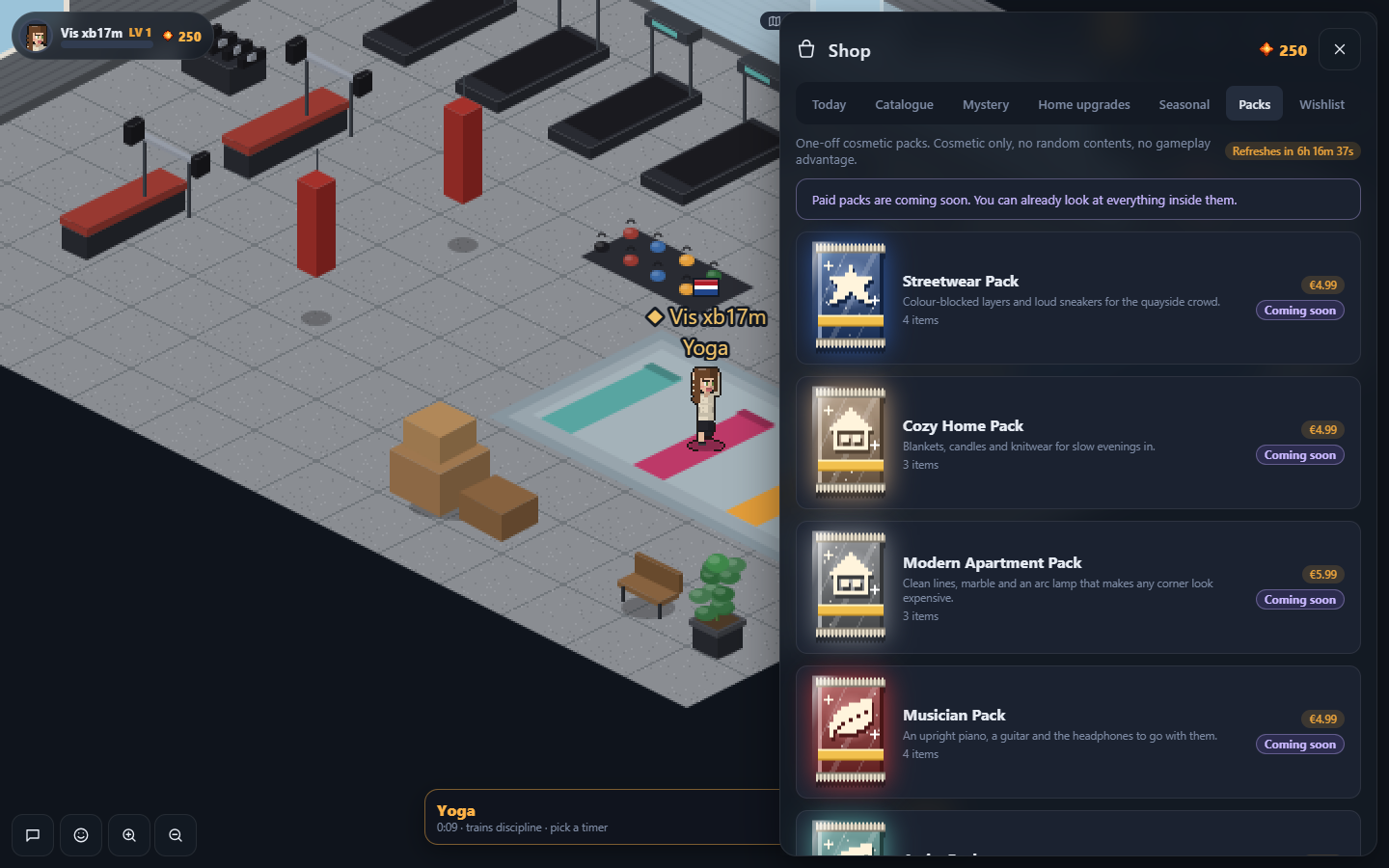
Paid cosmetic packs are visible in the shop so you can see exactly what is inside, but buying them is coming soon.
Pause, move, come back
- Pause and resume. Pause a running timer: the minutes so far count in full and you keep sitting. Resume carries on with the time that was left.
- Continue somewhere else. Pressing Stop (or walking away) first asks if you are sure. Pick "Pause, continue somewhere else": you stand up, and the moment you sit down anywhere else the timer carries on, same task, same goal.
- Break now. In a focus cycle you can take the break early; the minutes so far still count.
- Close the game, keep going. A timer keeps running on the server. Refresh, lose your connection or come back tomorrow: you are back on the same spot (or the nearest free one of the same kind), and what you earned while away is paid out with a "Welcome back" note.
- Focus together. Sit and focus within a few steps of someone else with a timer running and you both get 20% more XP.
- Above your head others see a small icon and your task, like "📖 Spanish homework".
Clothes and wardrobe
Every player starts with a full set of free clothes, and you can dye all of them in any colour: tees, a hoodie, a tank top, a shirt, a sweater, a blouse, a crop top, two dresses, a cardigan, jeans, joggers, shorts, chinos, a midi skirt, a pleated skirt, leggings, sneakers, flats, a beanie, a hair bow and a tote bag. New free clothes are added for everyone, also existing players. Open Wardrobe (under More) to try them on.
Every item shows how rare it is: Common, Uncommon, Rare, Epic or Signature. Items with a gold Limited edition tag, like the Christmas collection, can only be found for a while. Once you have one, it is yours to keep. The tags show on clothes, home decoration and collectibles alike. Limited items also say how many days are left.
Back items. Wear a cape, wings (fairy, angel or dragon), a sword or an acoustic guitar on your back, and a halo, horns or cat ears on your head. Some are in the shop, the rarest only come from mystery packs, and the Festive Cape is a Christmas item.
Pets. A cat, dog or bunny walks along at your feet; the Little Fox and the Baby Dragon only come from mystery packs, and the Christmas Penguin is here for the holidays. Pets have their own slot in the Wardrobe.
Your home
Your apartment is your own space. Use build mode to place, move and rotate furniture (R), put a piece back in your inventory with the bin or Delete, undo and redo, and use room presets. Walls & floor changes the wallpaper or floor of the whole room with one click, or of every room at once. Furniture you use works wherever you put it: sit on a chair at your desk, or stand and work at a desk without one. Friends can visit if you allow it.
| Home upgrade | Room size | Embers |
|---|---|---|
| Knock Through the Storage Room | 10 × 10 | 1,200 |
| Canal-View Extension | 12 × 12 | 3,000 |
| Loft Conversion | 14 × 14 | 6,000 |
The University Quarter
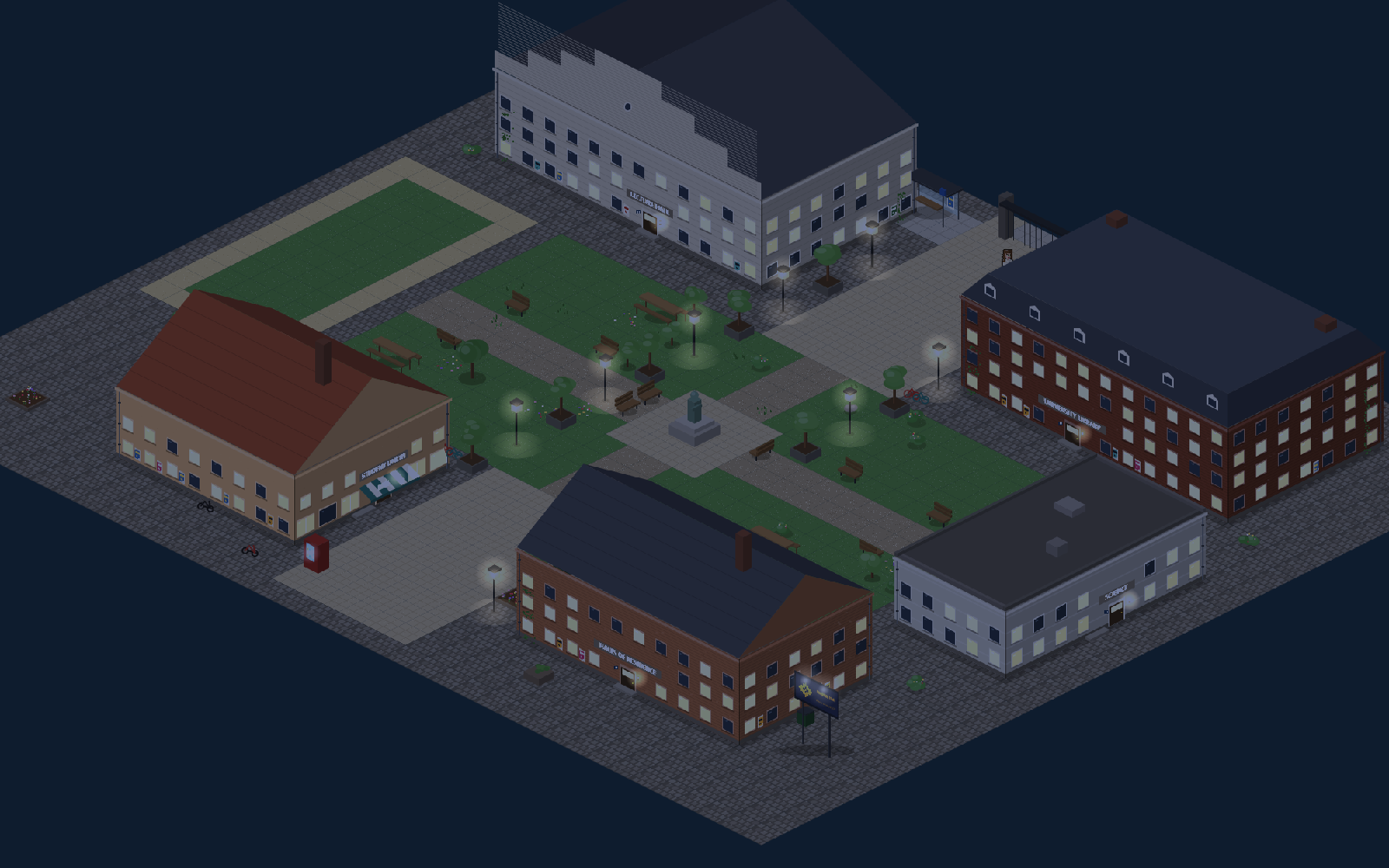
From level 6 the University bus takes you there: walk to the bus stop on Lantern Quay (the signpost says "University bus") and press E, or use the button in the Map. The bus back stops right where you arrive. Behind it is a green campus with the Lecture Hall (rows of study desks facing the chalkboard), the University Library (study carrels, group tables, a reading corner), the Student Union (coffee bar, table tennis, sofas) and a running track. Study spots here train Intelligence and Knowledge.
Your own street
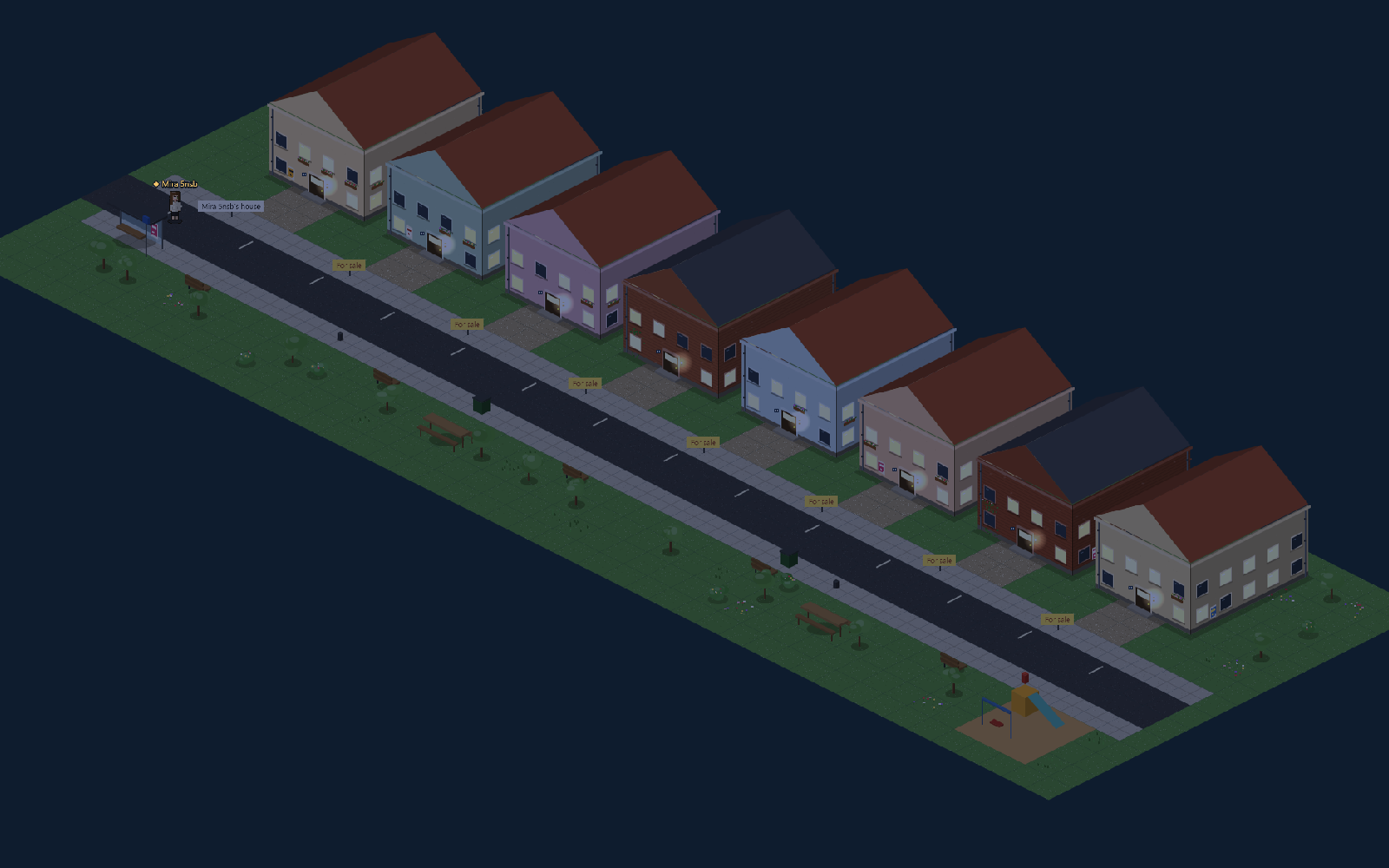
In Social, open Neighbourhood and create a street with a name. Invite friends: every friend who moves in gets one of the eight houses, with their name on a sign out front, and the front door leads straight into their apartment. Take the tram from the stop in Lantern Quay to get there. Anyone can leave whenever they want.
Doing things together
Party. Start a party with up to 6 friends. You get a party chat (also in the normal chat box, switch between Nearby and Party) and you can jump to any member with one tap.
Challenges. Challenge a friend for 3, 7 or 14 days: most focus minutes, most goal logs, or team up so you both stay active every day. Scores come from what you really do, the winner gets 120 Embers and 150 XP, and taking part pays too.
Events. Plan your own event, like a study night in the library or a run on the track, for friends or for everyone. People say they are coming, get a reminder when it starts, jump there and check in for a small reward.
Friends. Open a friend's profile to see their level, attributes, streak, achievements and what they wear. From there (or the friends list) you can send a message, Join them, Teleport right next to them, Invite them to where you are, give a Gift from your wardrobe or home items, or Trade: a trade starts with an invite on their screen, and once they accept you both pick items and both confirm. Green dot: online. Red dot: offline.
Inbox. Messages, friend requests, invites, challenges and events all land in your inbox, grouped per person with a count (9+ above nine). Read all and clear with one tap.
Recharge: small things that help for real
Breathe (box breathing, 1 to 5 minutes), a guided stretch break of 3 minutes, and flashcards you make yourself for what you are actually learning, with spaced repetition so cards you know come back later and cards you miss come back tomorrow. You find them in the Recharge menu, or right from a bench, a yoga mat, the gym or a library desk. They pay a little XP and Embers a few times a day.
Languages and accessibility
The game speaks English, Nederlands, Deutsch, Français and Español and picks your browser language automatically. In Settings you can turn on high contrast, an easy-to-read font, bigger text, reduced motion and spoken announcements of places and actions for screen readers. Everything works with the keyboard, and Escape closes any window.
Safety
Click a player to report them. Pick a reason; their recent chat is attached automatically. Moderators review every report and can warn, turn off someone's chat for a while or suspend an account. You can also block anyone at any time.
Streak and calendar
Every day you do something real counts: log progress on a goal, focus for at least 10 minutes or sleep 4 hours in game. Keep it up and your streak grows. Each week you get two shields, so one off day never resets months of work. Reaching 3, 7, 14, 30, 60, 100, 180 and 365 days pays out Embers and XP.
The calendar shows every day of the month: brighter means you did more, and small dots show goals, focus and sleep. Tap a day to see exactly what you did and what you earned.
You can also plan ahead. Tap any day, also next week or next month, and add one of your goals or your own task, with a time and how long if you like ("18:30 Gym, 60 min"). Tick it off when it is done. An orange dot shows planned days.
Every day also has a short journal: how you felt (five faces) and three questions: what went well, what was hard and what you learned. Writing it takes a minute and it is free every day. Only you can read it.
Your front yard
On your street, the four spots in front of your house are yours to decorate. Buy yard items in the Shop (flowers, a garden gnome, a barbecue, a bird bath, a little pond, a garden lantern and more) and pick what stands where in Neighbourhood. Everyone who walks down the street sees it.
Christmas
From 24 November to 11 January the whole city turns to Christmas: snow on the roofs, lights on every building, a giant tree with a glowing star on the square, a Christmas market, snowmen and light-up reindeer, also at the University and on every street.
The Seasonal tab in the Shop has limited Christmas items, with a new drop every week of the event. The Christmas Cracker pack can give any Christmas item, plus two you can only get from the pack. Everything leaves the shop when Christmas ends on 11 January.
Friends and servers
Each copy of a city map holds up to 30 players. When one fills up, a new copy opens automatically. Click a player to see their card and add them as a friend. From your friends list you can message, invite and Join them: you land in the exact same copy. If their copy is full the game tells you so, and you choose whether to join the copy next door.
Seasons
Six events run on the calendar: spring, summer, autumn, Halloween, winter and New Year. They switch on by themselves and change decorations, weather, lighting, resident outfits and the seasonal shop.
Plans
The full game is free: the city, story, homes, friends, goals and quests. Optional World Plus and World Premium plans will add convenience such as quick travel, extra rooms and deeper Life Journey tools. They never sell power, XP or Embers.
Subscriptions are coming soon.
FAQ
Is Hearthline free?
Yes. Everything you need to play is free: the city, your home, goals, timers, levels and the Daily Gift. Paid plans will add extras later and are marked Coming soon until then.
Can I buy Embers?
No. Embers are earned only, by finishing real goals, quests, timers and sleep. That keeps the shop fair for everyone.
Do I have to use the timers?
No. Timers are optional. The core of the game is your real-life goals: you set them, you do them for real, and you log them. Timers simply give extra XP and Embers when you want to focus.
Does it work on my phone?
Yes. It runs in the browser on phones in portrait and landscape, with touch controls. There is also a Windows app.
What happens if I close the game during a timer?
The timer keeps running on the server and you still get the full reward when it ends. Your character stays at their spot until then.
Can I play with friends?
Yes. Add someone by clicking them, join them in the same copy of the city, visit their home, trade items or start a street together where everyone gets a house.
Is there a Christmas event?
Every season has its own event. At Christmas the city gets snow, a big tree on the square, a market and limited items in the shop.
Do I need to share my country?
No. The flag above your character is optional and you can change or hide it any time.